

Index & Business Agent
Index 7.16.0 & Business Agent 3.17 has now gotten improved Chatbot setup and the newly introduced different chunking strategies for the various documents that you upload into the chatbot. We will also introduce this in the overall upload of all documents later. You can see the quick introduction video below
This is the headline feature of Agent 3.17, and it's one we're particularly excited about. You now have five distinct chunking strategies to choose from when uploading and processing documents. This means you can tailor how the AI reads and understands your files based on the type of content you're working with.
|
Strategy |
How It Works |
Best For |
|
Standard (Sentence Boundary) |
Splits text into chunks of approximately 800 characters while preserving full sentences. |
Most documents, mixed file types, and first-time users. Fast, cost-effective, and reliable across all file types. |
|
Overlap Chunking |
Splits text into fixed-size chunks with overlapping sections between them, so context isn't lost at chunk boundaries. |
Long, continuous documents where details span across sections. Keeps context intact at the cost of slightly higher processing. |
|
By Document Structure |
Splits documents based on their natural structure — headings, paragraphs, sections, and lists. |
Reports, contracts, manuals, and any document with clear structural formatting. Keeps related content together within logical units. |
|
Semantic Chunking |
Groups sentences together based on meaning. When the topic shifts, a new chunk begins. |
Documents where ideas flow across paragraphs and you need the AI to understand thematic boundaries rather than structural ones. |
|
Whole Document (No Chunking) |
Treats the entire file as a single chunk — no splitting at all. |
Short documents where full context matters and you want the AI to consider the entire file at once. |
Why this matters to you: Different documents benefit from different processing approaches. A legal contract with clear section headings works best with document structure chunking. A long research paper with flowing arguments benefits from semantic chunking. Now you have the flexibility to match the processing method to your content — and get better, more relevant answers as a result.
Where you'll find it: When uploading files — whether in your personal workspace, a shared workspace, or when building a chatbot — you'll be prompted to select a processing method. You can also update the processing method for individual files after upload.
Easier setup of Chatbots
Building a chatbot just got faster. We've reduced the number of steps in the chatbot creation wizard and reorganized the setup flow so you can get to a working chatbot more quickly.
Here's what changed:
- Fewer steps — Settings that were previously spread across later steps have been consolidated upfront, so you configure the essentials early.
- "Title" field — The chatbot name field is now called Title for clarity and consistency.
- Preview and Save as Draft — Two new buttons in the wizard's top bar. Preview lets you test your chatbot with current settings without losing your progress. Save as Draft lets you save your work and come back later — no need to complete every step in one sitting.
- Processing method selection — When you upload files to your chatbot's knowledge base, you'll now be asked to choose a file processing method (see the chunking strategies above). This gives you control over how your chatbot's knowledge is prepared.
Why this matters to you: Whether you're creating your first chatbot or your tenth, the streamlined wizard means less clicking and more building. The draft and preview features are especially useful when you're iterating on a chatbot's setup and want to test as you go.
Personal Source Management in Workspaces
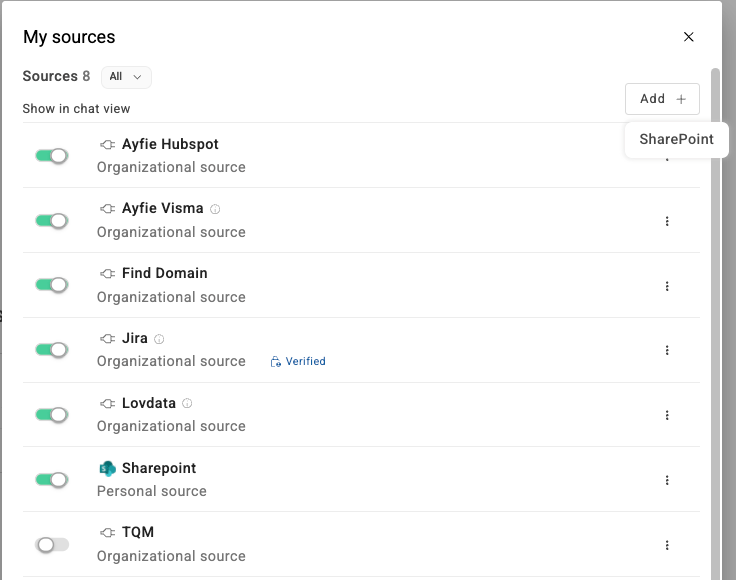
All workspace members can now toggle the visibility of sources within their workspace view. This is a personal preference — hiding a source for yourself doesn't affect what other members see.
The sources menu in workspaces has also been refined:
- As a regular member, you'll see your workspace sources where you can show or hide sources for your own view.
- As a workspace owner or admin, you'll also see workspace-level source management for controlling which sources are available to the workspace overall.
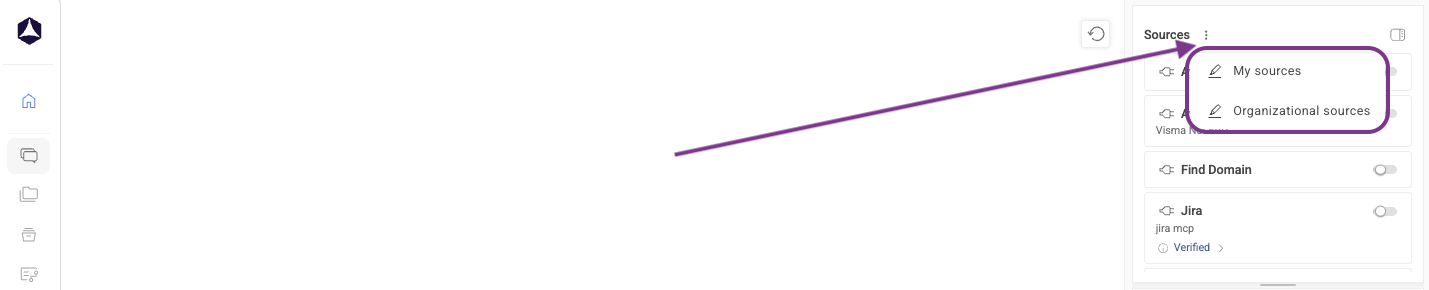
In the main window, you can now find a 3-dotted menu next to sources where you can find My Sources & Organizational Sources.
Workflows available in Workspaces
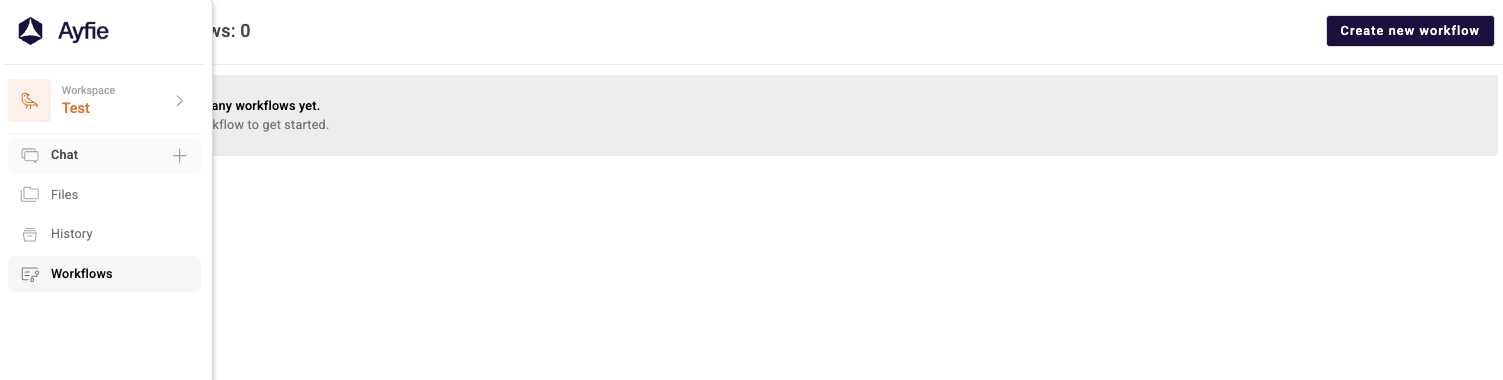
Workflows are no longer limited to your personal space. You can now create, run, edit, and manage workflows directly inside any workspace. This means your team can share repeatable, step-by-step AI processes within the same collaborative environment where you're already chatting and sharing files.
A few things to know:
- Workflows in workspaces are context-aware — they're stored and managed separately from your personal workflows, so there's no overlap or confusion.
- All workflow actions — create, edit, run, and delete — work the same way you're used to, just now within the workspace context.
Why this matters to you: If your team has standardized processes — document review steps, report generation templates, onboarding checklists — you can now build those as workflows and make them available to everyone in the workspace. Less repetition, more consistency.
Updated AI Models
We're refreshing the AI models available in Ayfie to bring you better performance, newer capabilities, and continued GDPR compliance where it matters most.
New Default Models Now Available
|
Model |
Notes |
|
GPT 5.1 |
Replaces GPT 4.1 |
|
GPT 5 mini |
Replaces GPT 4.1 mini |
|
GPT 5.4 |
Replaces GPT 5.2 |
|
Claude Sonnet 4.6 |
Replaces Claude Sonnet 4.5 |
Models Being Retired
The following models are being phased out and will be removed or replaced:
|
Retiring Model |
Replaced By |
|
GPT 4.1 |
GPT 5.1 |
|
GPT 4.1 mini |
GPT 5 mini |
|
Claude Sonnet 4.5 |
Claude Sonnet 4.6 |
|
Grok |
(Removed) |
Why this matters to you: The new model lineup gives you access to the latest generation of AI capabilities — faster responses, better reasoning, and improved accuracy. The progressive rollout of GPT 5 mini as the replacement for GPT 4.1 mini means you'll see this transition happen gradually, giving you time to adjust.
Index 7.16 Updates - Connector Maintenance
Connector Broker Update (7.1.1)
Index 7.16 includes an update to the Connector Broker from version 7.1.0 to 7.1.1. This is a targeted maintenance update that fixes an issue with connector auto-upgrade, ensuring that connectors upgrade reliably without manual intervention.
However, due to Microsoft's retirement of Azure Access Control Service (ACS), all SharePoint connector configurations must move from Entra ID client secrets to a password‑protected SSL certificate (.pfx). Please complete this change as soon as possible to ensure your SharePoint-based integrations continue to work without interruption.
For step-by-step guidance, see: SharePoint Connector – Changing from Azure ACS to Certificate-Based Authentication.
If you need assistance, feel free to contact us at support-nordic@ayfie.com.