


Index & Business Agent
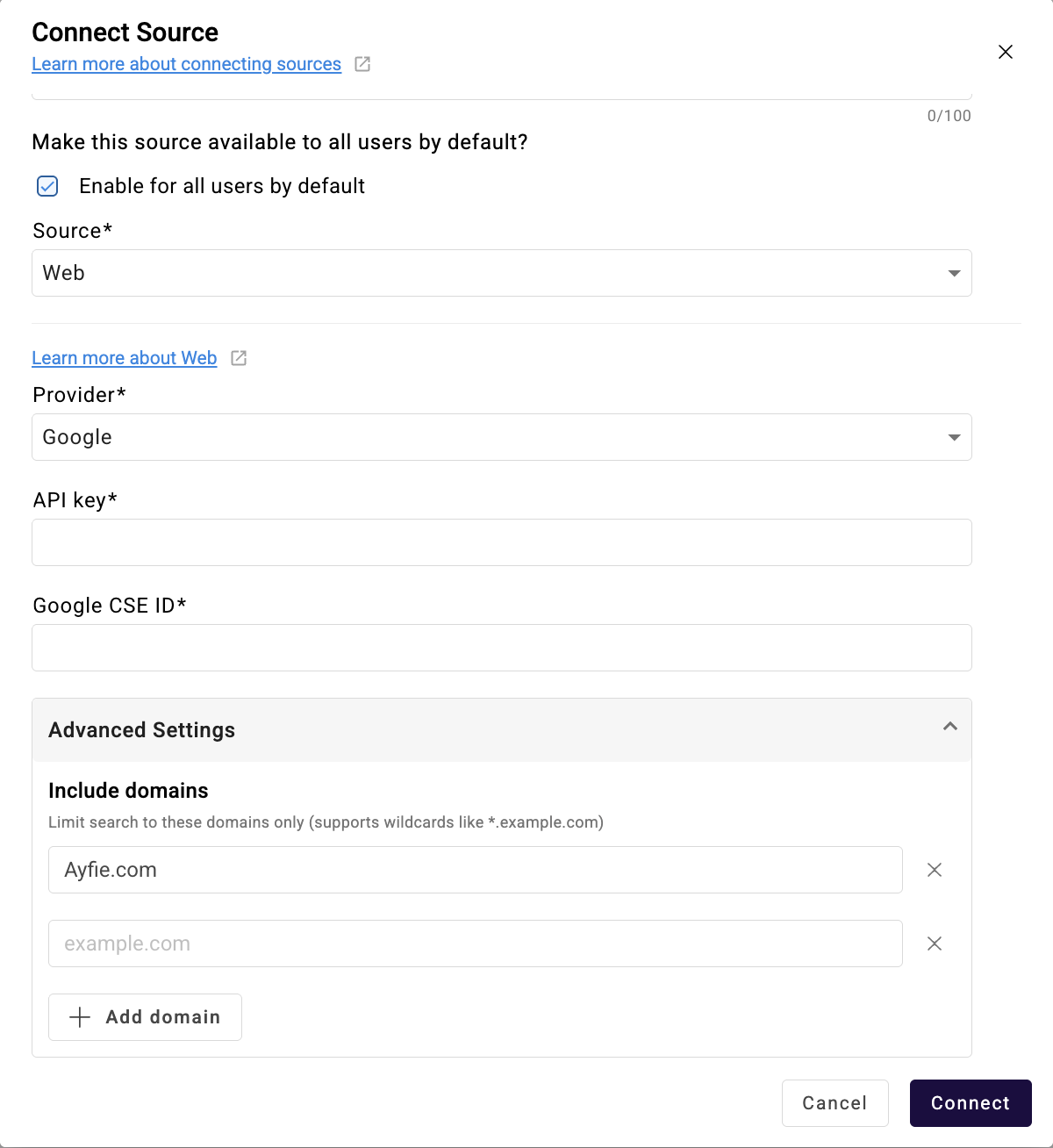
Index 7.14.0 & Business Agent 3.16 now comes with URL based search and a unified personal and uploaded-file sources into a consistent step-based flow so users can combine them with MCP/Web/Index more easily
Source Management
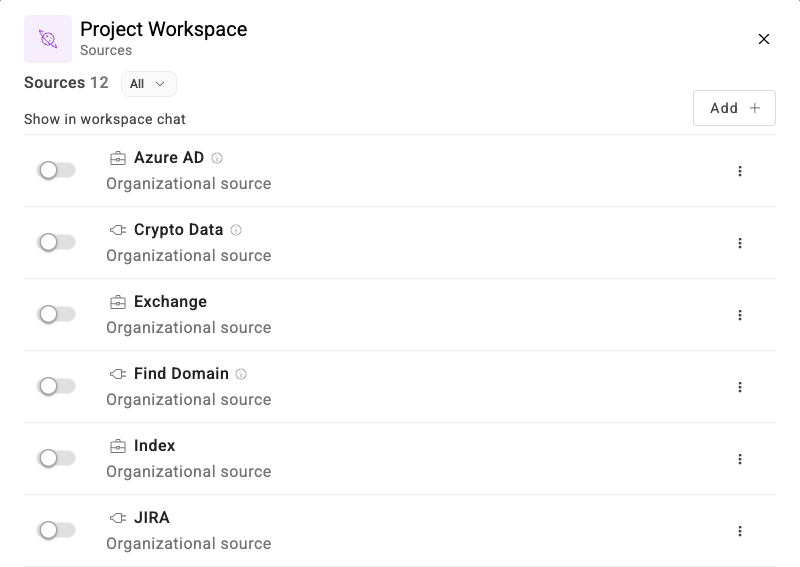
We have also made adjustments and changes to how to add and organize your sources to make it easier for the user to personalize their setup when there are a lot of different sources.
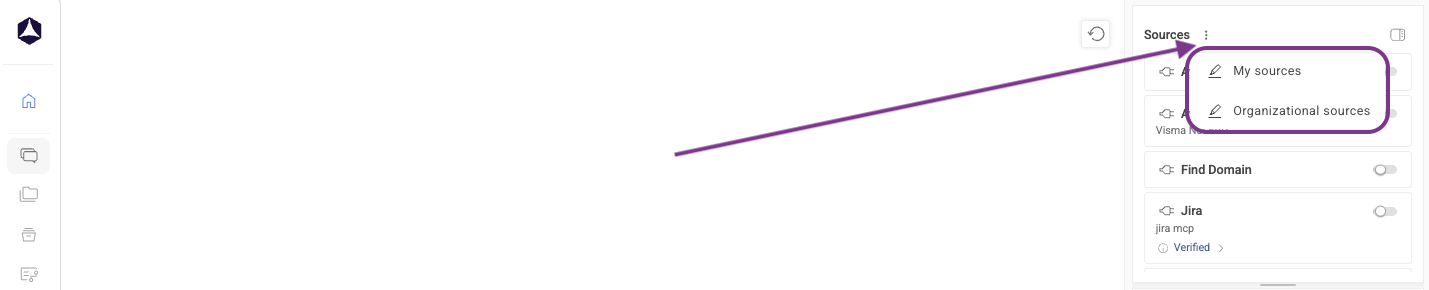
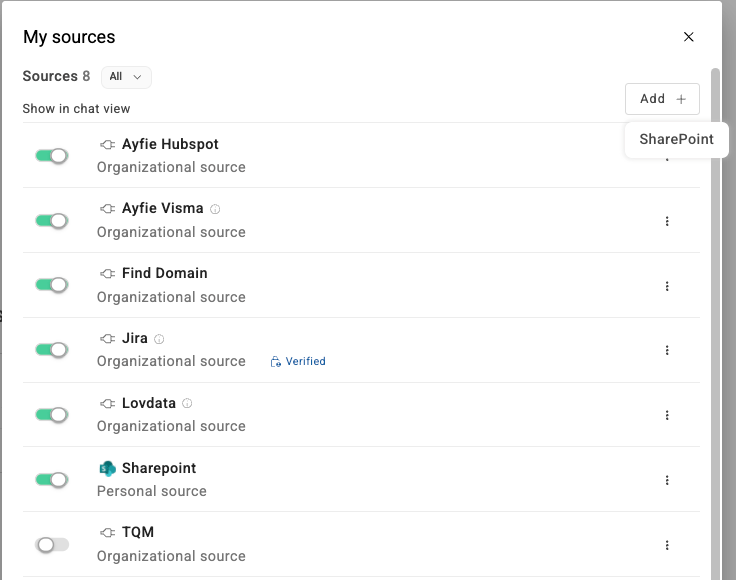
In the main window, you can now find a 3-dotted menu next to sources where you can find My Sources & Organizational Sources.
Under My Sources, you can also add Sharepoint as a Source, as long as it is supported for your environment.
Chat Functionality
-
Expanded Mistral Support — Mistral model now supports tool calls with reliable handling across MCP, Web, and Index sources.
-
Smarter WebSearch — Users can now provide URLs directly in prompts and restrict web searches to specific domains for more relevant results.
-
Improved Google Web Scraping — Enhanced web page scraping when using Google as the WebSearch provider.
-
Unified Source Handling — Chatting with personal sources and uploaded files now follows a consistent step-based approach, allowing seamless combination with MCP, Web, and Index sources.
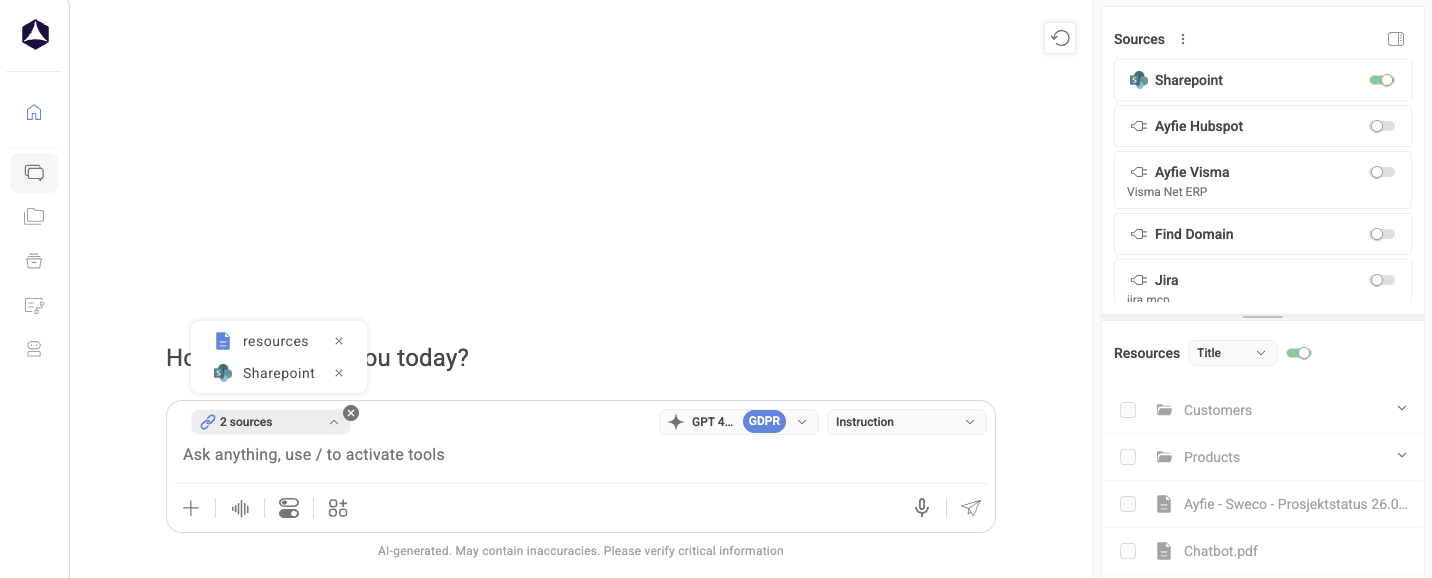
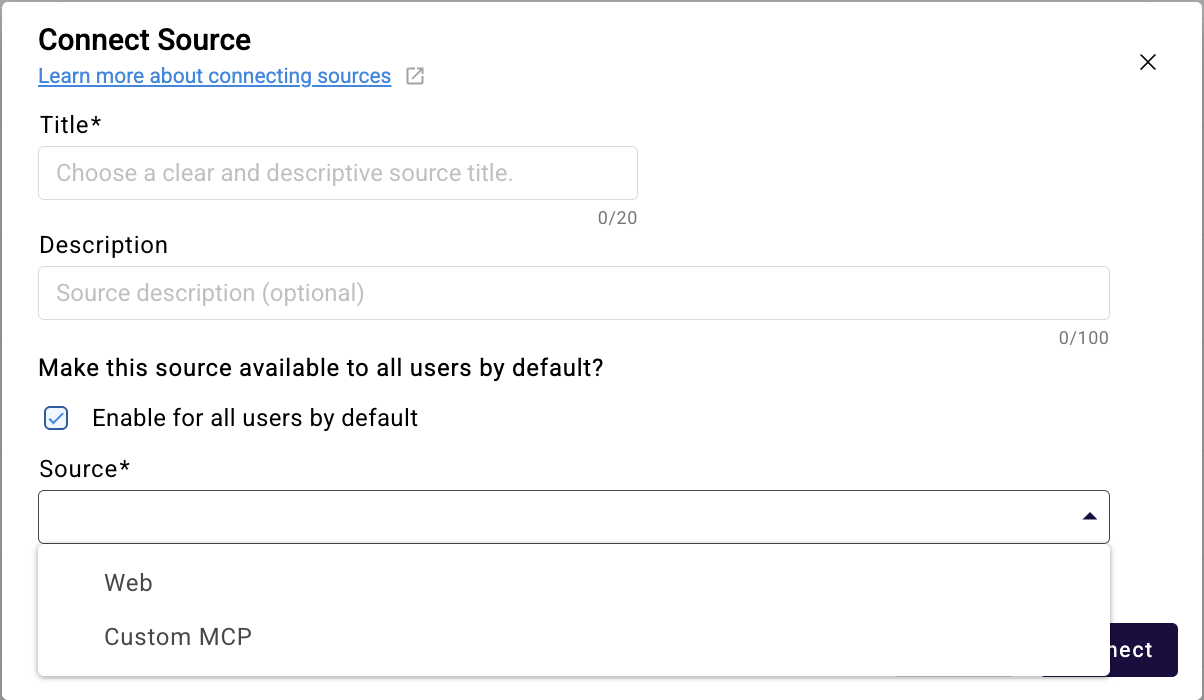
- URL Based Source - Admins can now also setup specific URL's as a source (MCP) for their organization to allow for web without granting complete access and limiting the knowledge feedback that the model can work with.
Enhanced Shared Workspace Administration
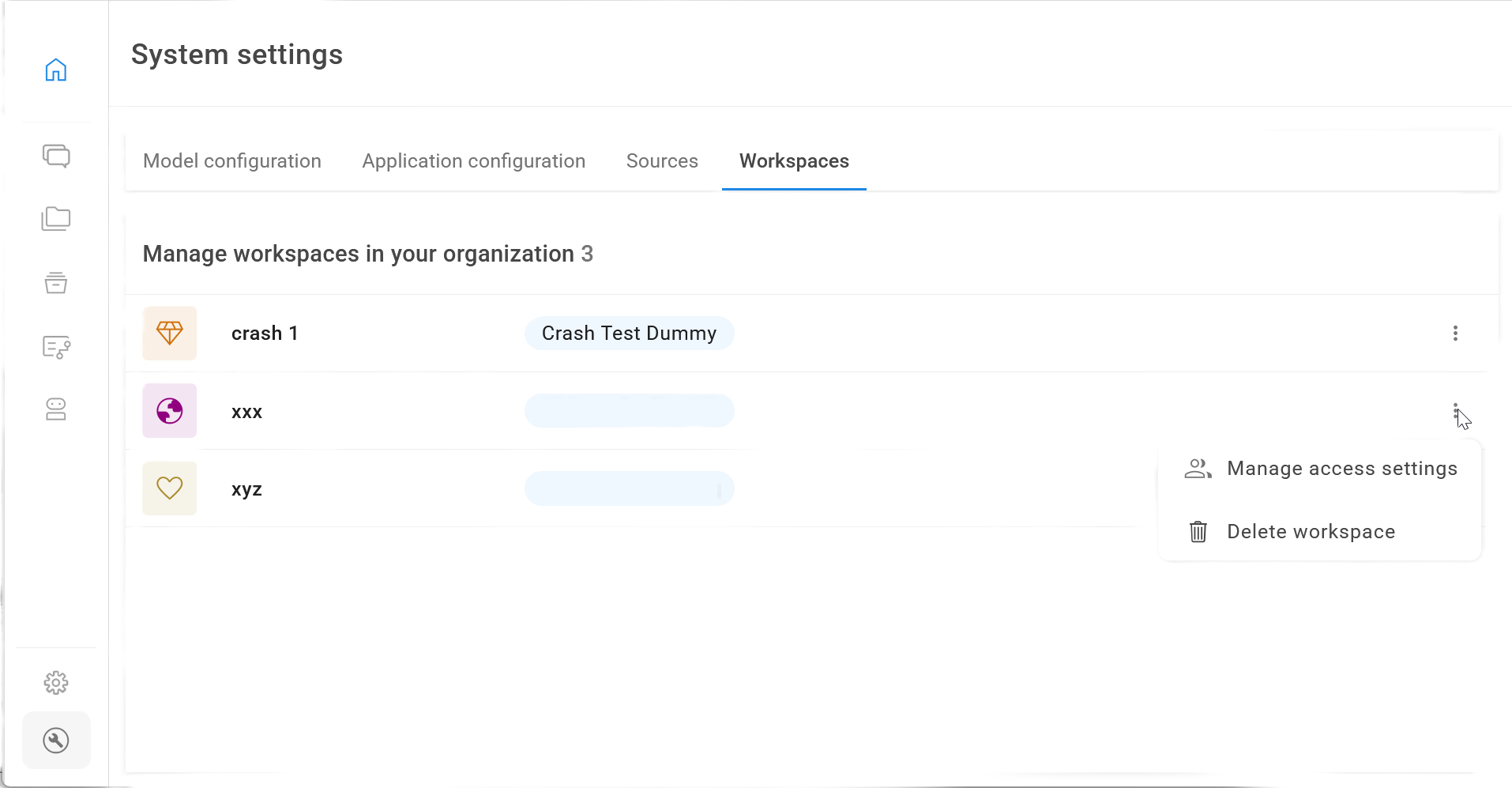
Administrators can now manage access settings for all shared workspaces via System Settings, enabling centralized control over collaboration permissions and security across the organization.
Workspaces
-
Workspace-Level Sources — Members can use shared sources within workspaces; privileged users can configure new sources and manage organizational visibility.
-
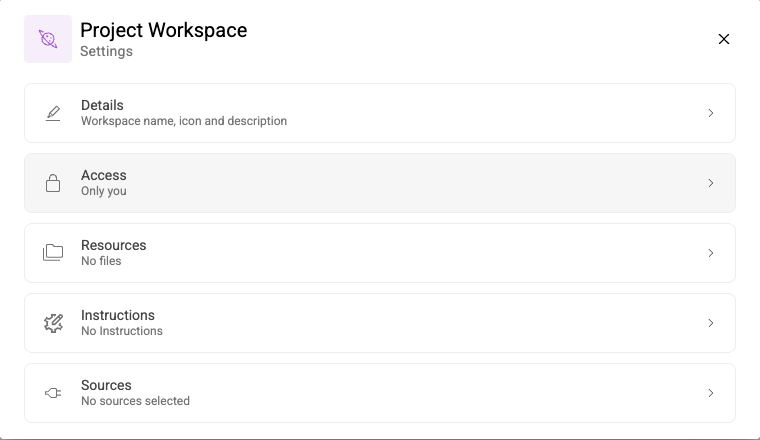
Refreshed Workspace UX — Updated workspace wizard, clearer admin lists with type/owner indicators, and new three-dot menu actions (Manage, Delete, Hide).
-
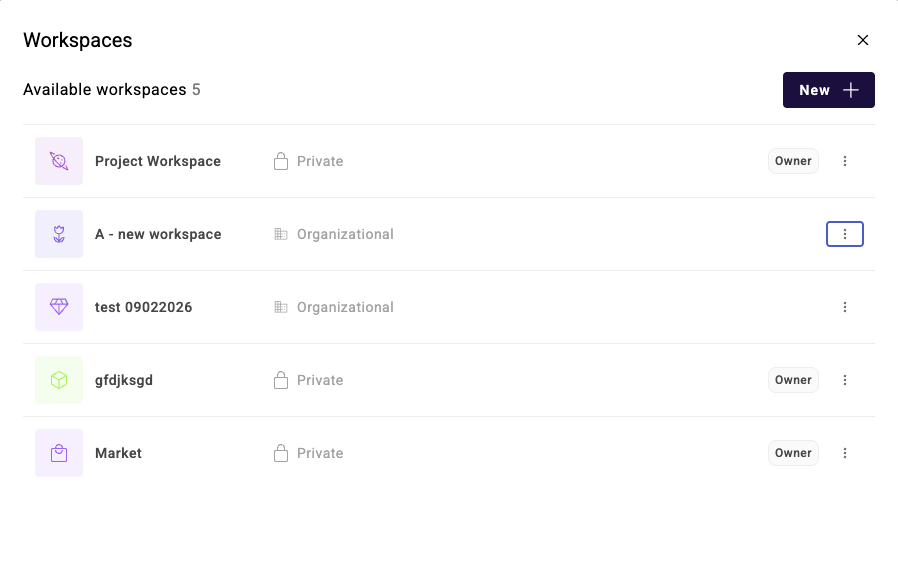
Improved Admin View — Condensed owner info with tooltips, workspace type indicators, description tooltips, and total workspace count in the header.
-
Cleaner Sources Settings — All source options moved to a three-dot menu, new workspace list labels, default source enabling during setup, and an "Activate all" toggle for tool selection
Administration
-
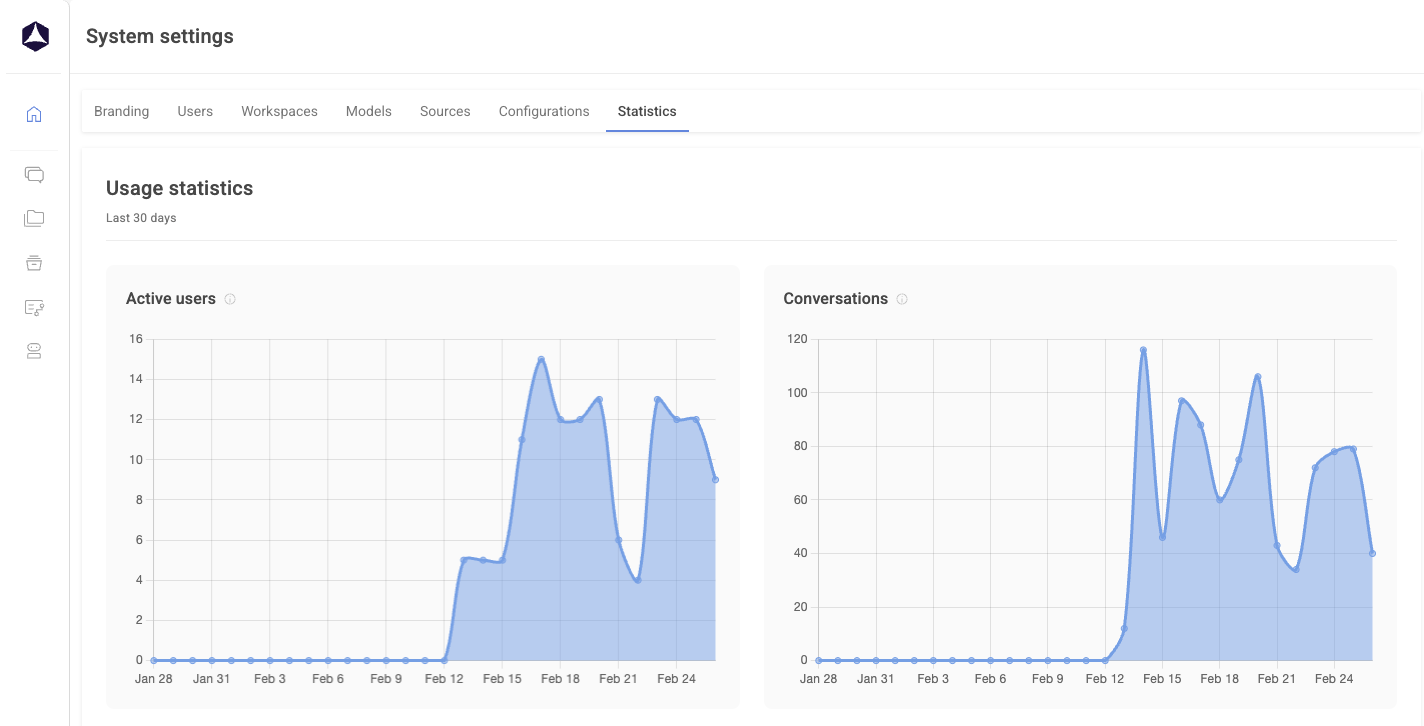
Application Usage Statistics
New statistics dashboard added under System Settings.
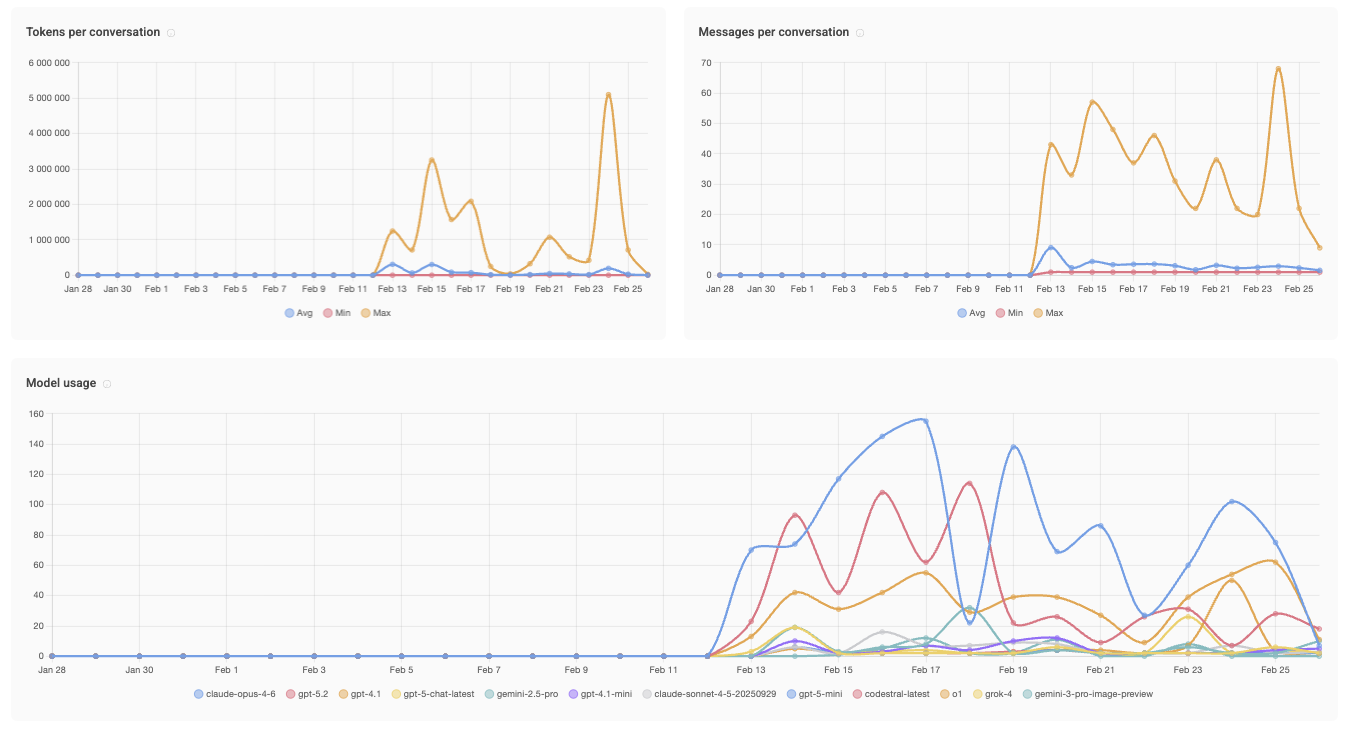
Here you are able to view your general user statistics and see finer details on the following
-
Active Users
-
Amount of total Conversations
-
Tokens Per Conversation
-
Messages Per Conversation
-
Model Usage (LLMs) to figure out which is the most preferred by your users
-
Uploaded files and the size of them
-
-
Multi-Tenant Permissions — Integrated a multi-tenant permissions system to strengthen governance and tenant separation.
.png?width=1916&height=566&name=image%20(6).png)
.png?width=731&height=854&name=image%20(7).png)
You can read more about the details on how to set up your roles and administration here:
Temporary Disabled Image Function
Due to limitations from the provider of our current default Image generation model, we are forced to temporarily disable the model as it meets its end of life early in March.
To avoid this and since we currently have no alternative to offer in the default model that we can setup on your behalf, it will no longer function for the time being. We are working hard to look into how this can be resolved for future releases.
However, it is possible to setup your own model for image generation through the Azure Marketplace! Here you have a wider variety of models which you can apply for and insert into the Ayfie Business Agent.
Below you will find a guide on how to perform this.
Installation of a different image generation model
Requirements:
- Admin Access to Azure Marketplace
- System Admin access in Ayfie Business Agent
- Applied and confirmed access to 1/3 total options of image generation models supported through this form:
https://aka.ms/oai/gptimage1access
Guidance:
- Gather template for wanted model here:
Model Configuration Template - Information about models:
Available Models - Install using guide from here:
Custom Image Model Config